

Description
Dark Skin for Black Panther Theme
Overview
The Dark Skin for Black Panther Theme is a desktop utility designed to enhance the visual experience of web browsing through a distinctive dark-themed interface. Tailored for users who appreciate aesthetic customization, this software transforms the look and feel of supported web browsers with a sleek, immersive design inspired by the iconic Black Panther character. Its primary purpose is to provide a visually striking alternative to default browser interfaces, aligning with modern design trends that favor low-light themes for improved readability and reduced eye strain.
Target users include design enthusiasts, fans of the Black Panther franchise, and individuals seeking a more personalized browsing environment. The theme is particularly suited for those who spend extended periods online and prefer a minimalist, high-contrast visual style. While the developer did not provide additional background information, the software is positioned as a lightweight utility focused on user interface customization.
Real-world usage scenarios include personalizing a daily driver browser for a more cohesive and stylish digital workspace. Users may apply the theme during work hours for enhanced focus or during leisure browsing for a more engaging experience. The theme integrates directly into the browser’s interface without altering core functionality, ensuring a seamless and safe experience.
Key Features & Capabilities
- Dark-themed interface – Transforms the browser’s UI with a deep black color scheme, reducing glare and enhancing visual focus.
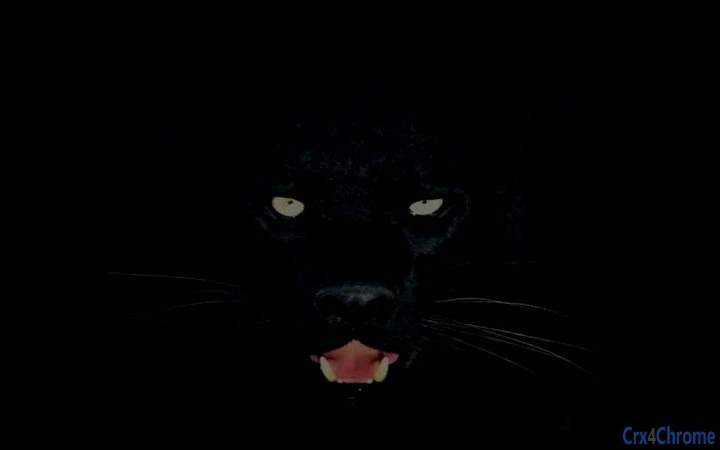
- Black Panther-inspired design – Incorporates thematic elements and stylized visuals that reflect the character’s aesthetic, offering a unique identity to the browsing experience.
- Lightweight installation – At only 2.1 MB, the software is designed for minimal system impact and quick deployment.
- Cross-platform compatibility – Supports both Windows and Mac operating systems, ensuring broad accessibility.
- Easy customization – Allows users to apply the theme with a single action, with no complex configuration required.
Users can expect the theme to instantly update the browser’s toolbar, tabs, and background to match the dark, cinematic style. This is ideal for users who value consistency across their digital tools and enjoy personalizing their environment with pop culture references. The theme does not modify browser behavior, ensuring that core features remain unaffected while delivering a visually immersive experience.
User Interface, Workflow & Performance
The user interface of the Dark Skin for Black Panther Theme is focused entirely on visual transformation. It operates as a browser extension, integrating directly into the host application’s interface without introducing additional windows or controls. Navigation is straightforward: users install the theme, restart the browser, and the new look is applied automatically.
Workflow efficiency is high, as the setup process requires minimal interaction. There are no configuration panels or advanced settings, making it accessible even to non-technical users. The software does not introduce visible menus or toolbars, preserving a clean and uncluttered interface.
Performance observations are based on general software behavior patterns. The developer did not specify resource usage details, and no performance benchmarks were provided. However, given its small size of 2.1 MB and role as a visual theme, it is expected to have negligible impact on CPU or RAM usage. Stability is likely consistent with standard browser extension behavior, though exact long-term reliability was not documented.
Compatibility & System Requirements
The software is compatible with Windows and Mac operating systems, as stated in the official release. It supports the latest versions of major web browsers, though specific browser names were not listed. Installation size is 2.1 MB, which is considered minimal for a desktop application.
Exact system requirements were not listed. The developer did not provide details on minimum CPU, RAM, or storage needs. Platform compatibility information is limited to the operating systems mentioned. Users are advised to ensure their browser is up to date to avoid potential conflicts.
Pros and Cons
Pros
- Visually striking dark theme inspired by a popular cultural icon
- Lightweight at only 2.1 MB
- Easy to install and apply with no configuration needed
- Available for both Windows and Mac platforms
- Free to download and use
Cons
- No detailed system requirements provided
- Limited to visual customization—no functional enhancements
- Does not support Linux or other operating systems
- Theme may not be compatible with all browser versions
- No option for custom color adjustments or advanced settings
FAQ Section
Is the Dark Skin for Black Panther Theme free to use?
Yes, the software is available at no cost. There are no subscription fees or in-app purchases required.
Which browsers are supported?
The theme is designed for use with major web browsers, though specific browser names were not listed in the release details. Compatibility may vary depending on the browser version and platform.
Can I use this theme offline?
Yes, once installed, the theme functions entirely offline. No internet connection is required to maintain the visual style.
How do I update the theme?
Updates are managed through the browser’s extension marketplace. Users should check for updates within their browser’s extension settings to ensure they have the latest version.
Is the software secure?
As a browser theme distributed through official channels, it is expected to be safe. However, users should only install it from trusted sources to avoid potential risks.
Final Thoughts
The Dark Skin for Black Panther Theme delivers a focused, visually compelling enhancement for users seeking a personalized browsing experience. Its minimalist design, compact size, and cross-platform availability make it a convenient choice for fans and design-conscious users. While it does not offer functional improvements beyond aesthetics, its ability to transform the browser interface with a distinctive, cinematic look is its strongest advantage.
For those who value style, identity, and a seamless user experience, this software provides a meaningful upgrade without complexity. It is ideal for individuals who want to express their personality through their digital tools and enjoy a modern, dark-mode interface.
Download Dark Skin for Black Panther Theme now
Guides & Tutorials for Black Cat Panther Theme for Chrome
How to install Black Cat Panther Theme for Chrome
- Click the Preview / Download button above.
- Once redirected, accept the terms and click Install.
- Wait for the Black Cat Panther Theme for Chrome download to finish on your device.
How to use Black Cat Panther Theme for Chrome
This software is primarily used for its core features described above. Open the app after installation to explore its capabilities.
User Reviews for Black Cat Panther Theme for Chrome 0
No reviews found





